



排序
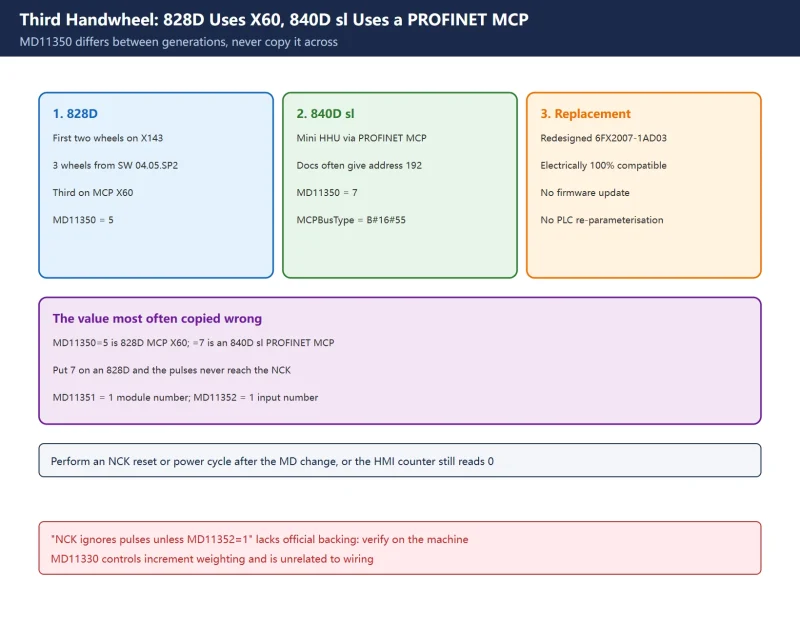
SINUMERIK 828D Third Handwheel and Mini HHU: MD11350, FB1 and DB11/DB21/DB31
The third handwheel goes to MCP X60. MD11350=5 (828D) and =7 (840D sl PN MCP) differ; FB1 and three PLC signal areas decide if the axis moves.

 8分钟前
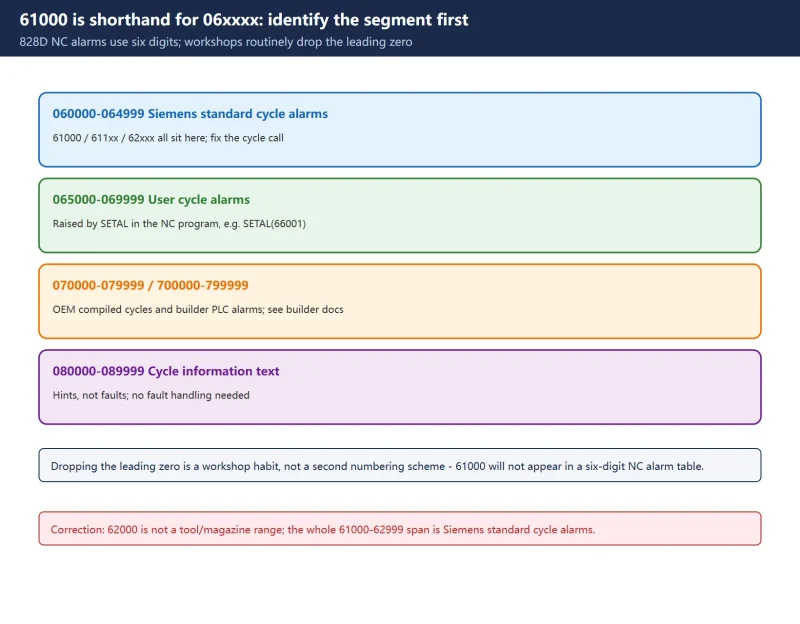
SINUMERIK 828D Cycle Alarms 61000 / 62000 / 65xxx: How to Read and Fix Them
On an 828D, 61000/62000 are shorthand for the six-digit 06xxxx cycle-alarm range; 065000-069999 belongs to user cycles triggered by SETAL. This guide gives the segment rules, alarm...
8分钟前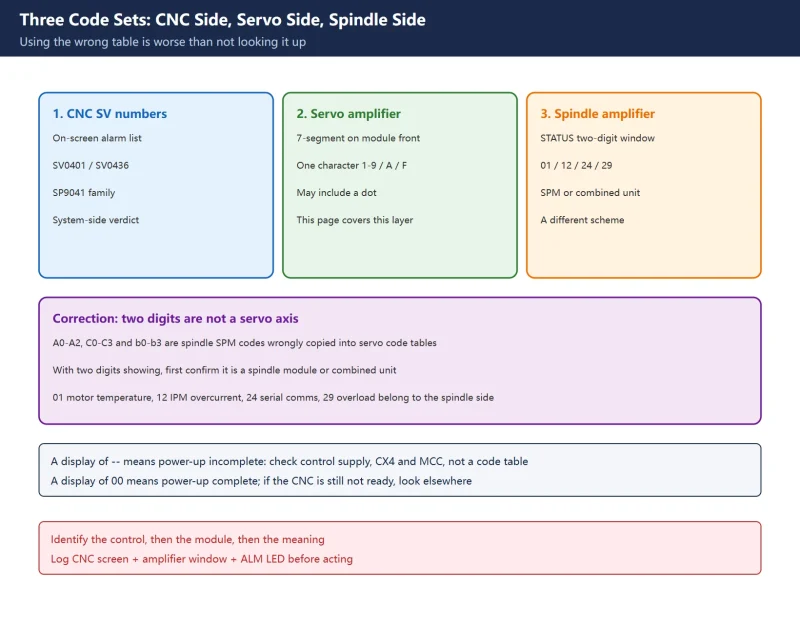
Fanuc Servo Amplifier Alarm Codes: Full A06B 7-Segment Table and Dotted IPM Codes
Split the table by A06B series, then use plain 8/9/A overcurrent versus dotted 8./9./A. IPM to decide between testing the motor cable and opening the drive.
8分钟前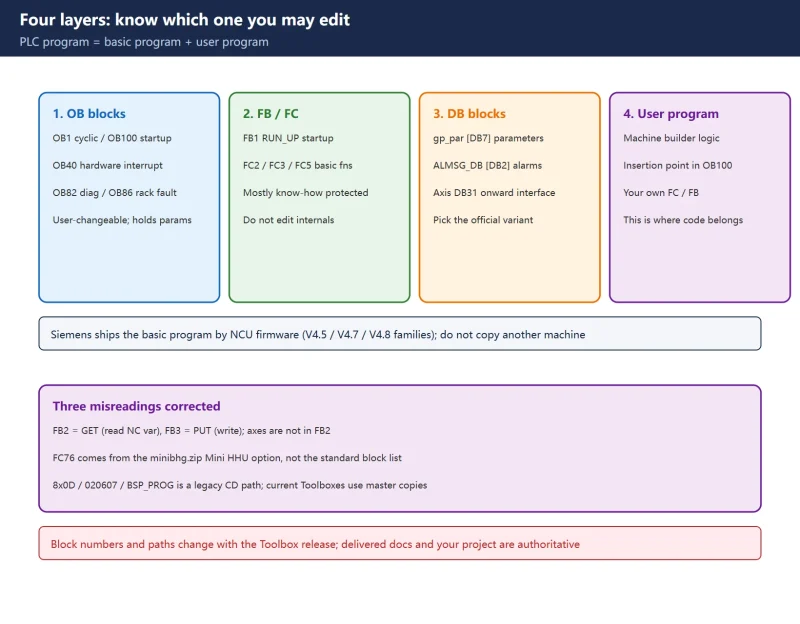
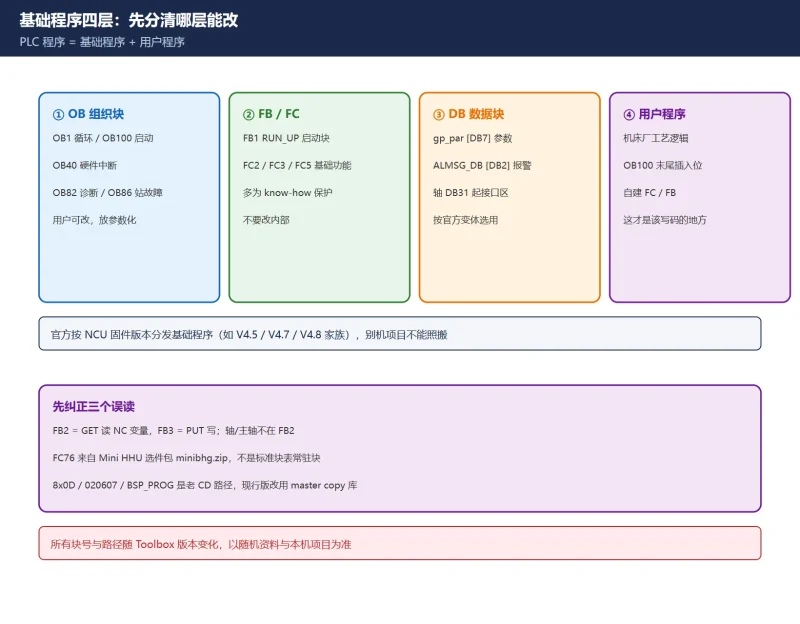
SINUMERIK 828D / 840D PLC Basic Program: Where FB1, FB2 and OB100 Come From
The basic PLC program ships inside the licensed SINUMERIK STEP 7 Toolbox as master copy libraries and STL sources, matched to the NCU firmware. Three official sources, three correc...
8分钟前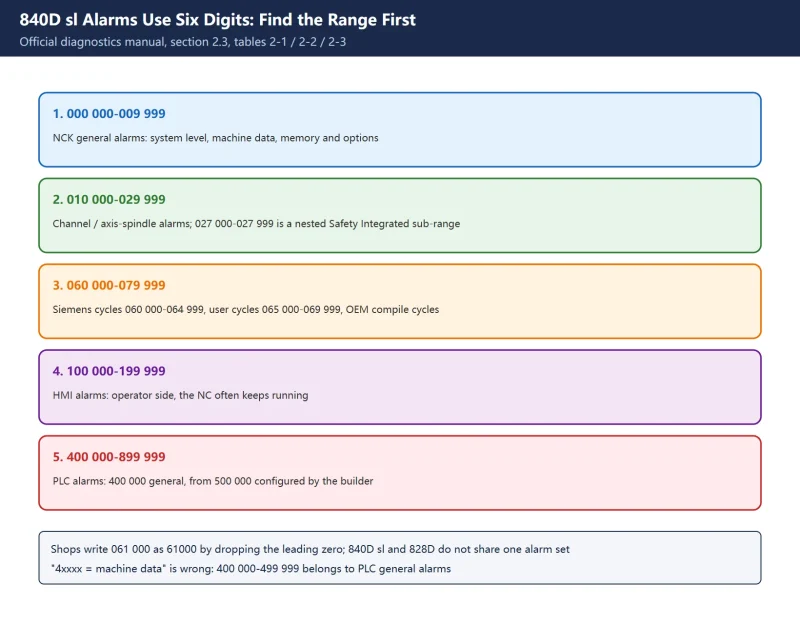
SINUMERIK 840D sl Alarm List: NCK, Cycle, HMI, SINAMICS and PLC Number Ranges
840D sl alarms use six digits. Identify the official range first, then read the cancel criterion before cycling power. Corrects two widespread range misreadings.
8分钟前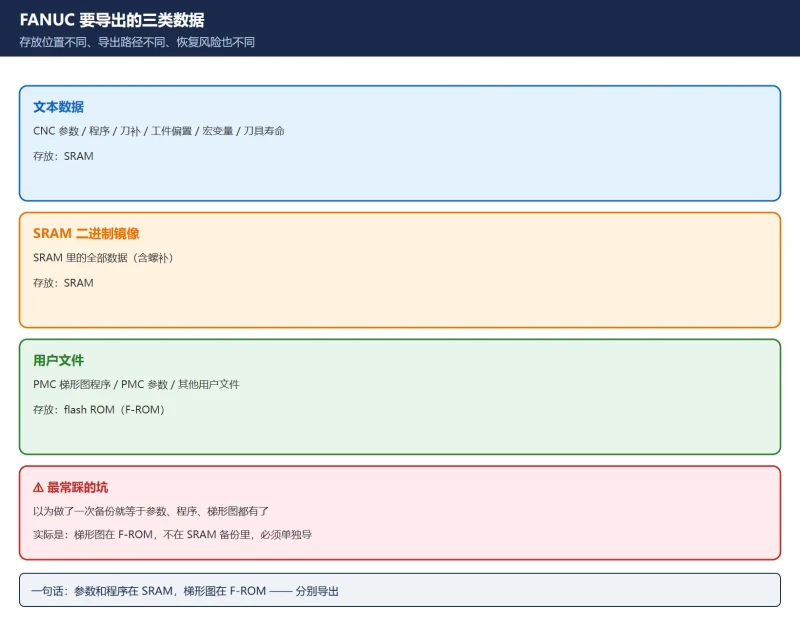
FANUC 参数表和梯形图怎么导出/打印:一键全备份、BOOT SRAM 备份、单项穿孔输出与 PMC 梯形图存卡
FANUC 备份分三条路:0i-F / 0i-F Plus 的一键全备份必须走两段并断电重启一次;BOOT 画面下的 SRAM 备份先于 NC 启动、不受报警影响、可整块恢复;单项数据走各自画面的 PUNCH→EXEC,每次只输...
8分钟前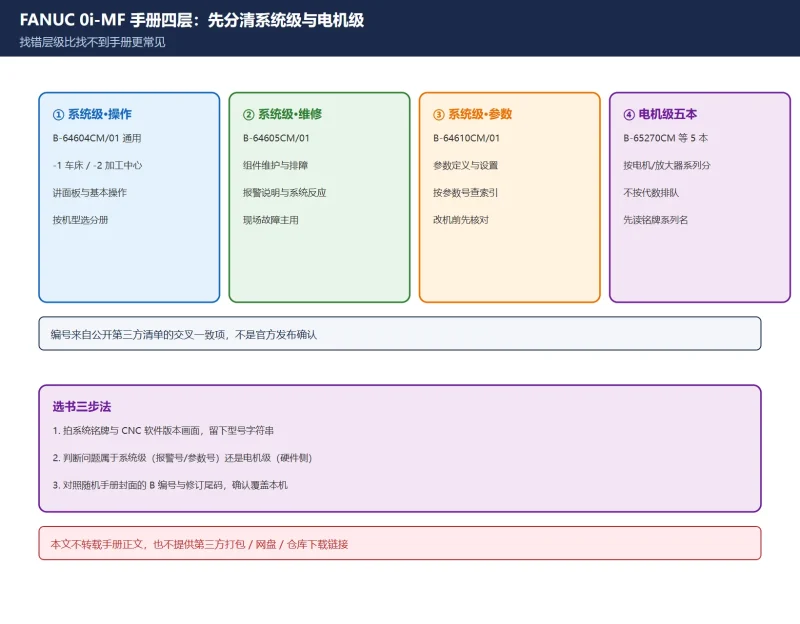
FANUC 0i-MF / 0i-MD 中文手册怎么找?10 本编号对照 + 官方获取入口
官方手册没有公开免登录直链,正确路径是随机交付资料、机床厂与 FANUC 授权渠道。本文只做版本编号对照、选书三步法与章节导航,不转载手册正文、不提供第三方打包或网盘链接。
8分钟前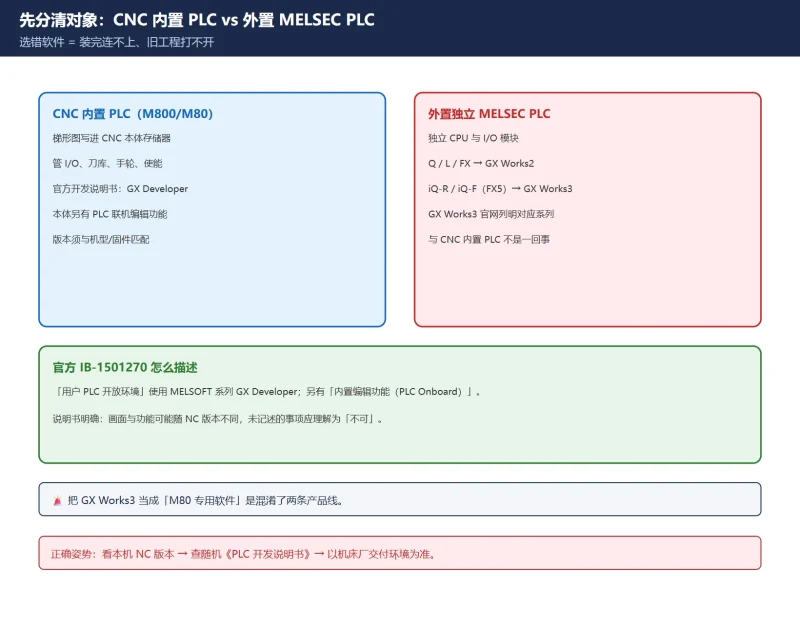
三菱 M80 PLC 编程软件用哪个?GX Works3 / GX Developer 官方下载路径 + 版本对应表 + 安装与连机常见坑
先分清「CNC 内置 PLC」和「外置 MELSEC PLC」,再选软件。三菱官方 M800/M80《PLC 开发说明书》(IB-1501270)写明的用户 PLC 开发环境是 MELSOFT 的 GX Developer;GX Works3 官网标明对应 ME...
8分钟前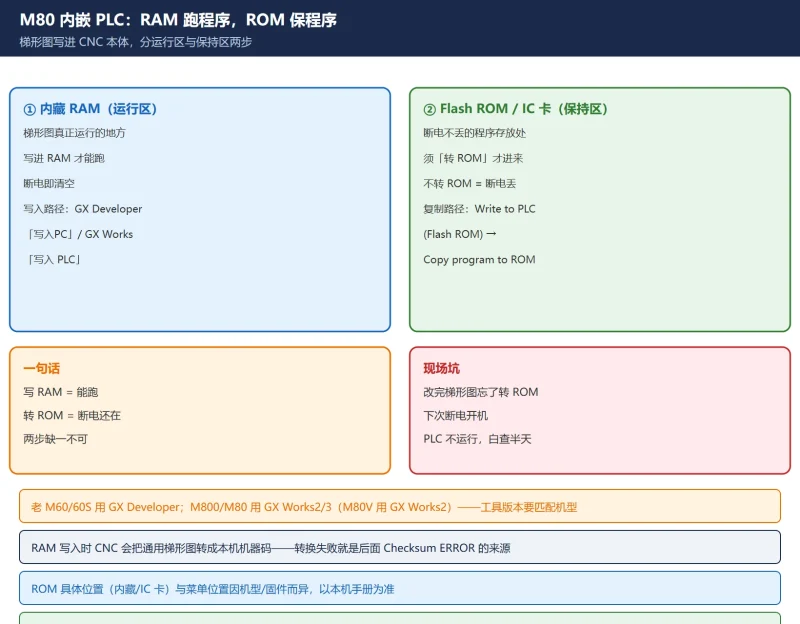
三菱 M80 梯形图怎么写进 CNC?GX Developer 写 RAM、转 ROM 与 Checksum ERROR 排查
三菱 M80 / M800 的梯形图(内嵌 PLC 序列程序)怎么写进 CNC:GX Developer / GX Works2·3 写入内藏 RAM 的流程、为什么必须'转 ROM'固化、以及 Checksum ERROR 的根因(转换错误把出错步变 N...
8分钟前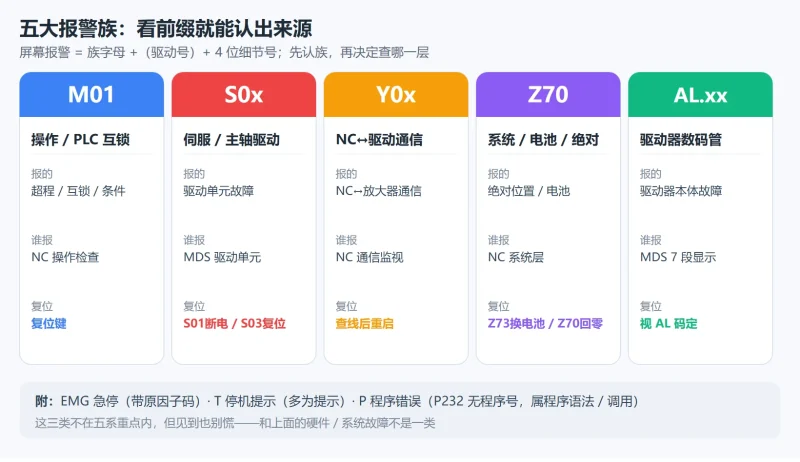
三菱 M80/M70 报警代码怎么读?M01/S/Y/Z/AL 五系族谱 + 4 位细节号(0032/0050/0052)判定与复位等级
三菱 M80/M70 报警按 M01/S/Y/Z/AL 五族划分,4 位细节号才是真正的故障身份证:S01 0032 过流要断电重启、S03 0050 过载按复位键、Z70 丢绝对位置必须回零、换电池必须通电时换。一张复位等级...
8分钟前






扫一扫,添加我的微信